Configuration
Settings live under a DoubleSync block in appsettings.json. Most can also be edited from the backoffice.
The DoubleSync section
Everything DoubleSync reads lives under a top-level "DoubleSync" key. Values edited from the Settings view in the backoffice are saved to the Umbraco database and take precedence over what's in appsettings.json. Entries that come from appsettings appear in the UI as read-only with a small badge so you always know where a value is coming from.
{
  "DoubleSync": {
    "LicenseKey": "DS.xxxx.xxxx",
    "DefaultSource": "dev",
    "DefaultTarget": "uat",
    "Local": {
      "Url": "https://localhost:44300",
      "ClientId": "doublesync-client",
      "ClientSecret": "<secret>"
    },
    "Environments": {
      "uat": {
        "Url": "https://uat.example.com",
        "ClientId": "doublesync-client",
        "ClientSecret": "<secret>"
      },
      "prod": {
        "Url": "https://www.example.com",
        "ClientId": "doublesync-client",
        "ClientSecret": "<secret>"
      }
    },
    "Storage": {
      "Provider": "filesystem"
    },
    "Retention": {
      "MaxVersionsPerEnvironment": 50
    }
  }
}
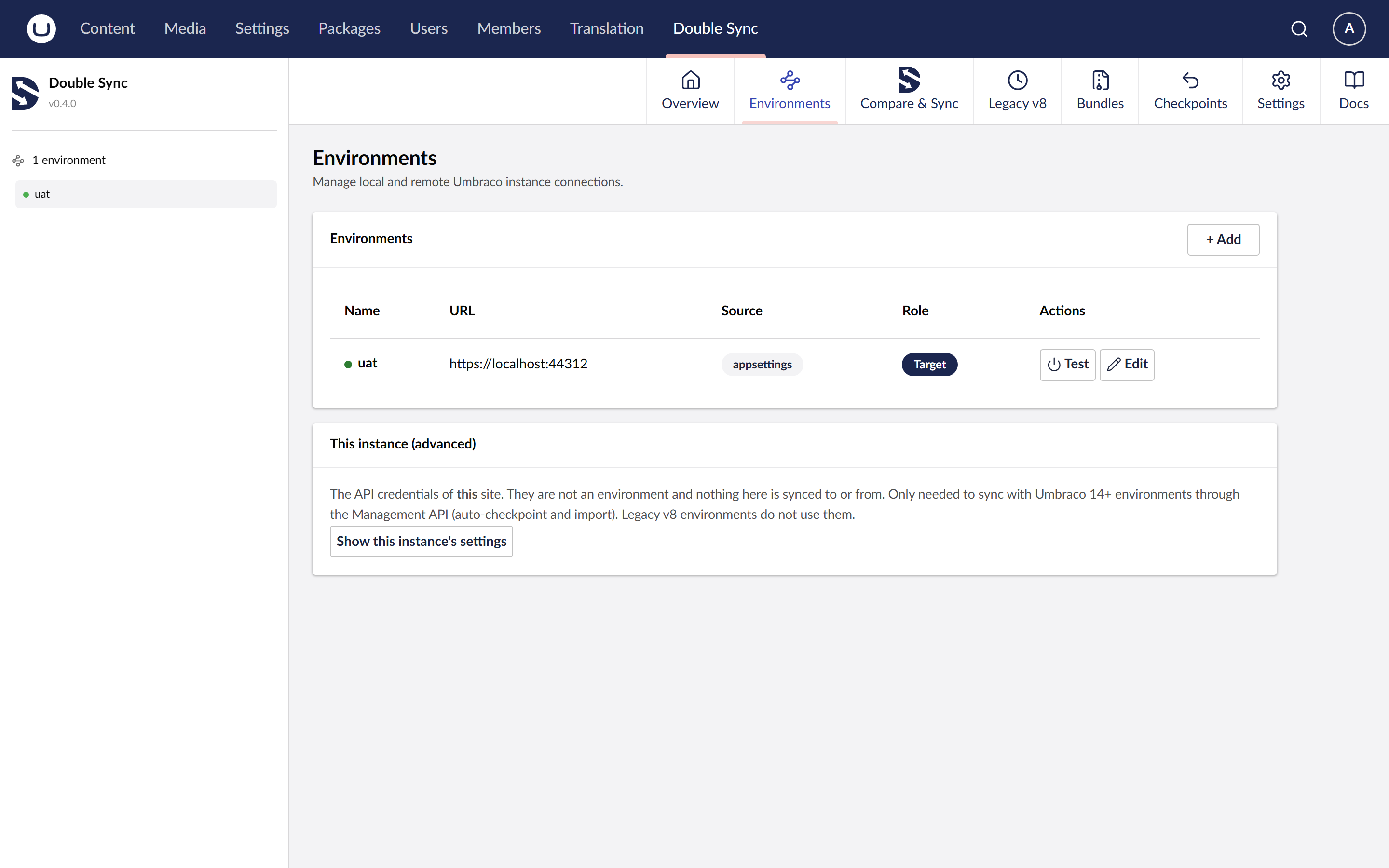
Registering a remote environment
Each environment is a URL plus a client id and secret. The credentials are an Umbraco backoffice client_credentials pair created on the **remote** site. The remote site must also have DoubleSync installed.
Local points at THIS instance. DoubleSync uses it to snapshot the local site before any sync.
Storage backends
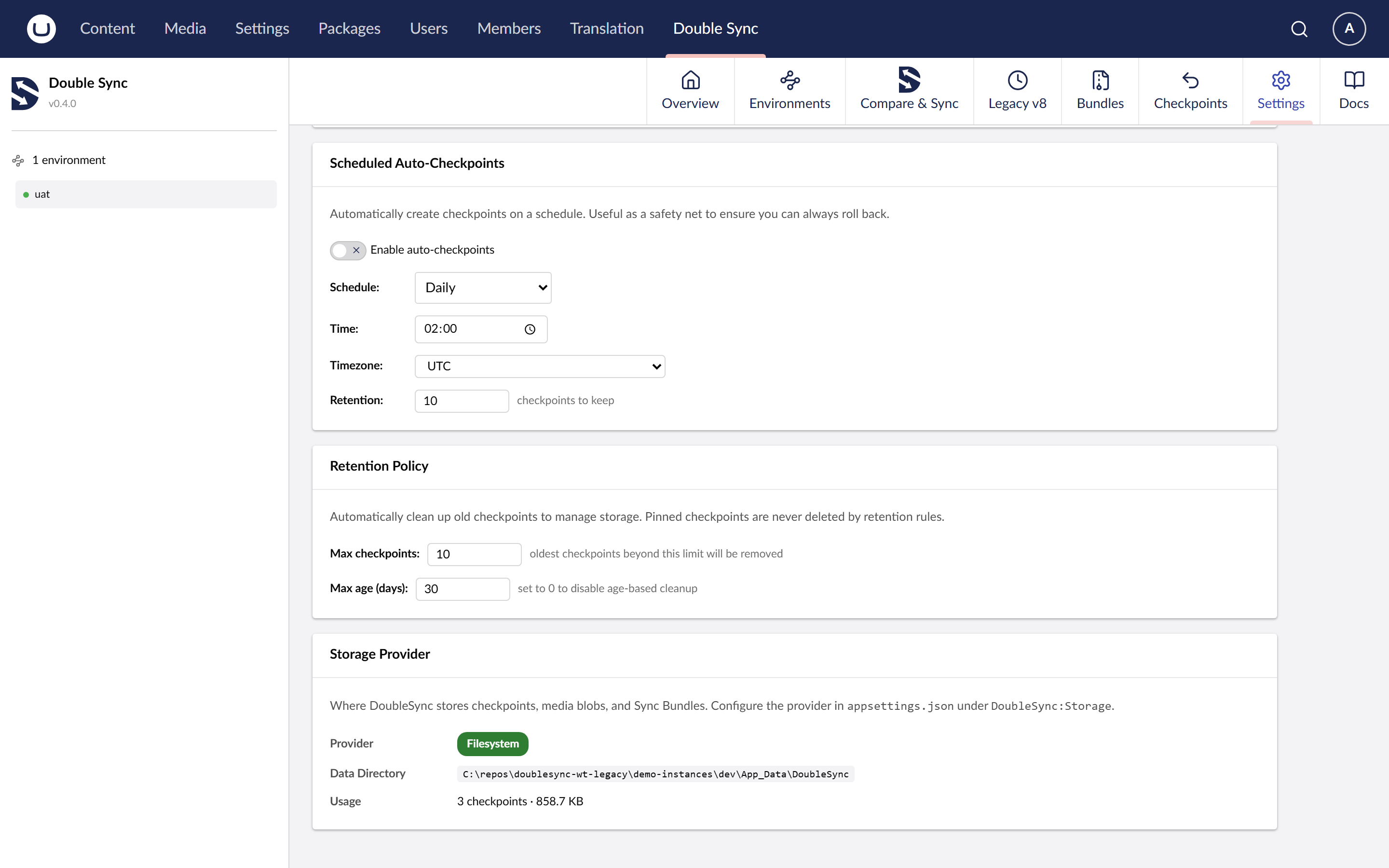
filesystem: (default), snapshots written under App_Data. Good for single-server installs.
azure: Azure Blob Storage. Recommended for load-balanced web apps and containers where App_Data is not durable. See the Azure Storage guide.
Where state lives
Snapshots: on disk under App_Data, or in your configured Blob container.
Audit log: Umbraco database.
Permissions, environments, retention: Umbraco database (overrides appsettings).
License status: cached for 24h and refreshed in the background.
Scheduled checkpoints
Scheduled checkpoints run in the background on a cron expression you set from the Settings view in the backoffice. The toggle and the expression are saved in the database, not appsettings.